Add your first User
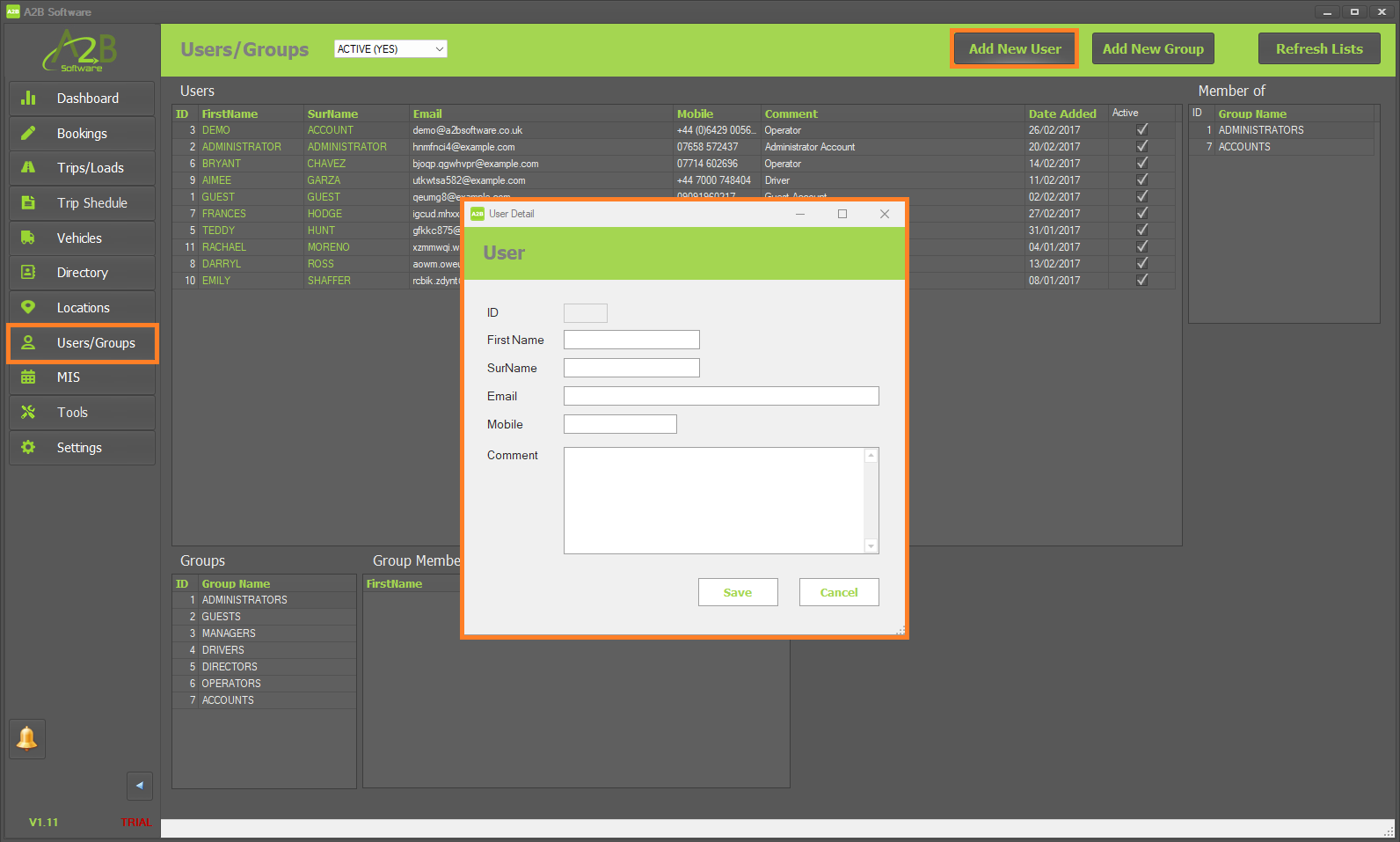
To add your first User, click on 'Users/Groups' within the left menu then click the 'Add New User' button towards the top right of the A2B TMS.
In the New User form that appears, enter your operator/drivers details.
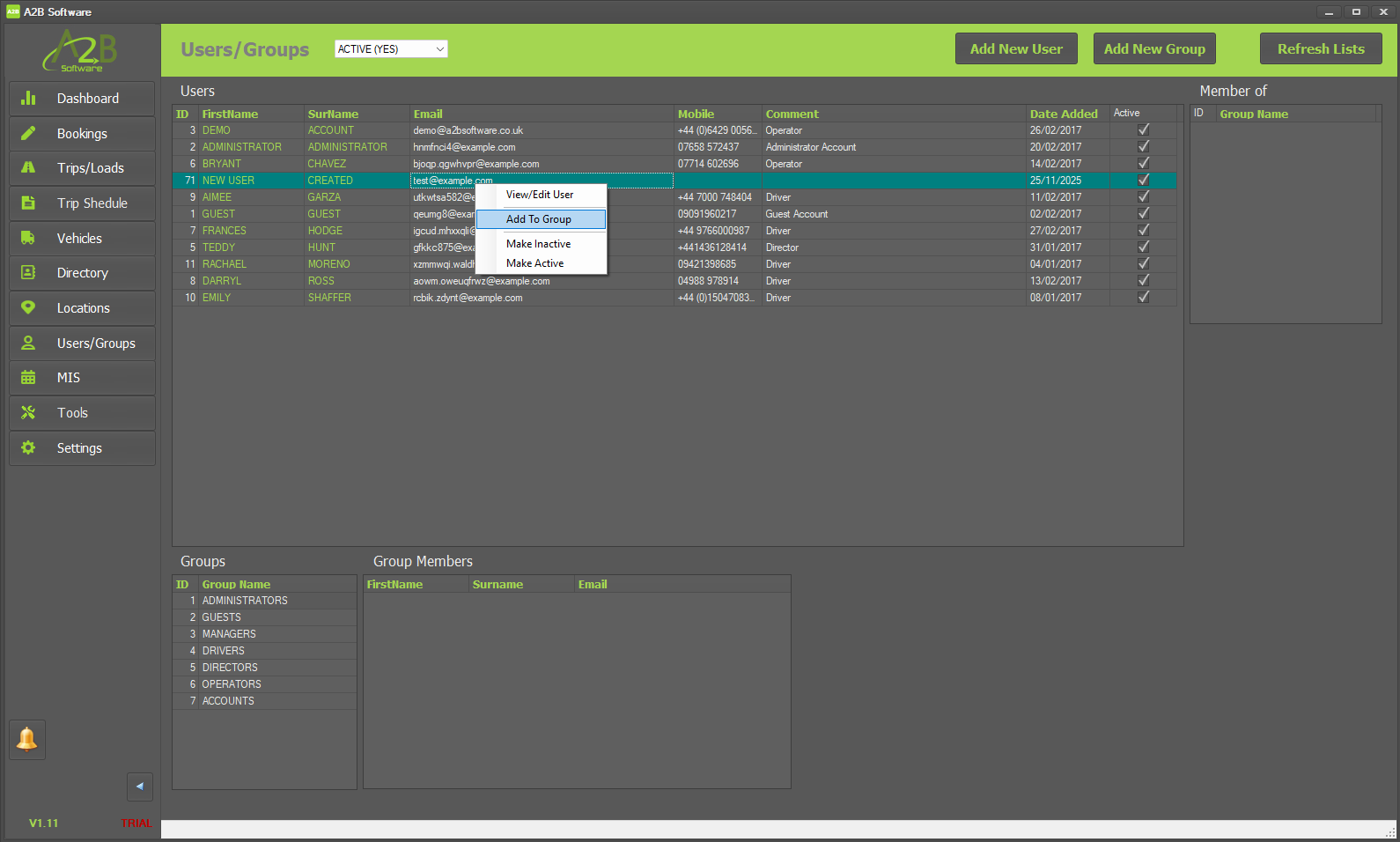
Once you have created your operator/driver - you will need to assign them to the relevant User Group. To assign them to a User Group, 'right-click' on their row and select 'Add To Group'.
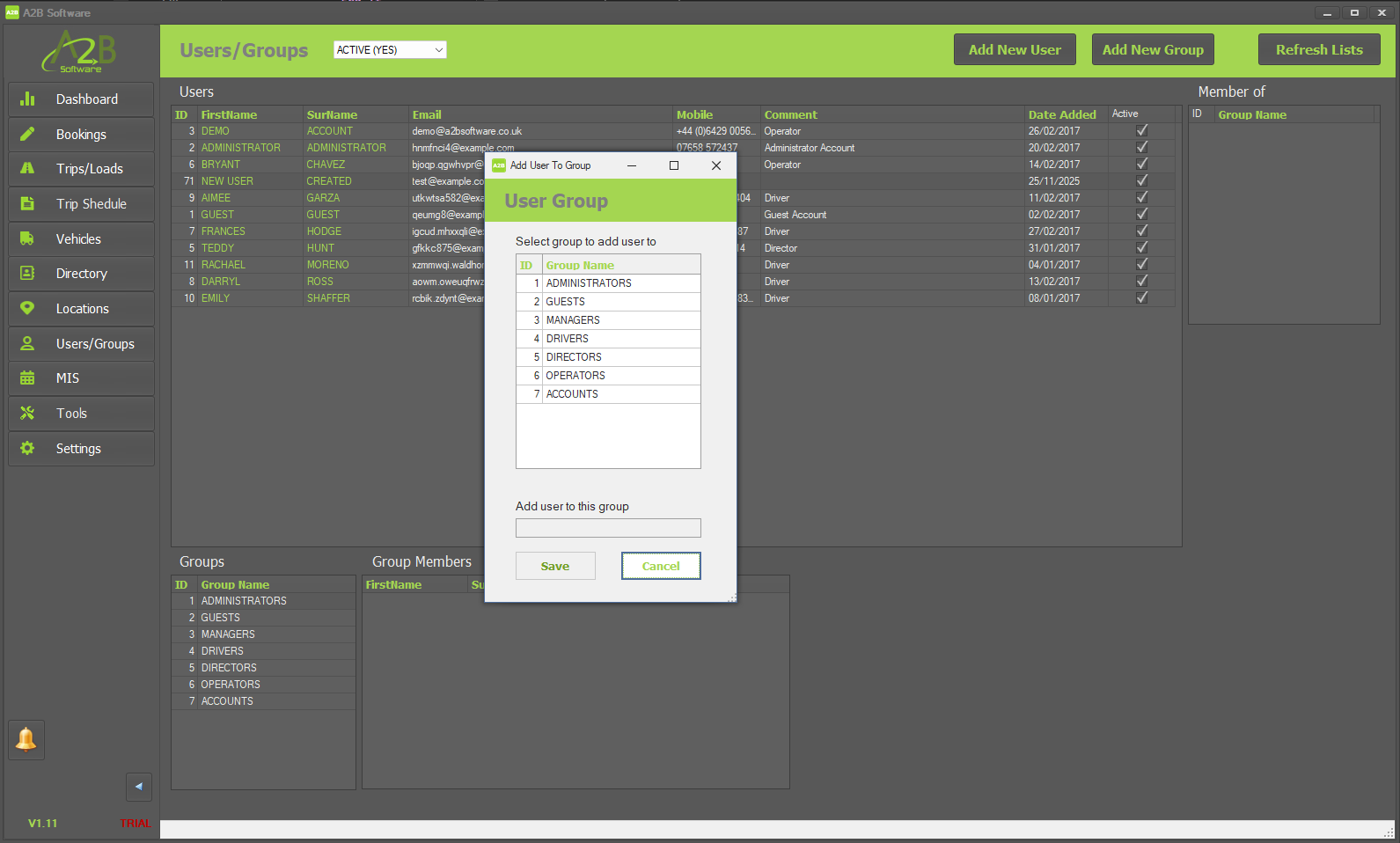
In the 'Add User To Group' form, simply select the User Group that your user should be assigned to.